1
Upgrading in place is a real option
A current AVEVA Plant SCADA or Geo SCADA version keeps the existing project, skills and architecture. Migration earns its cost when licensing, integration or supportability no longer fit.
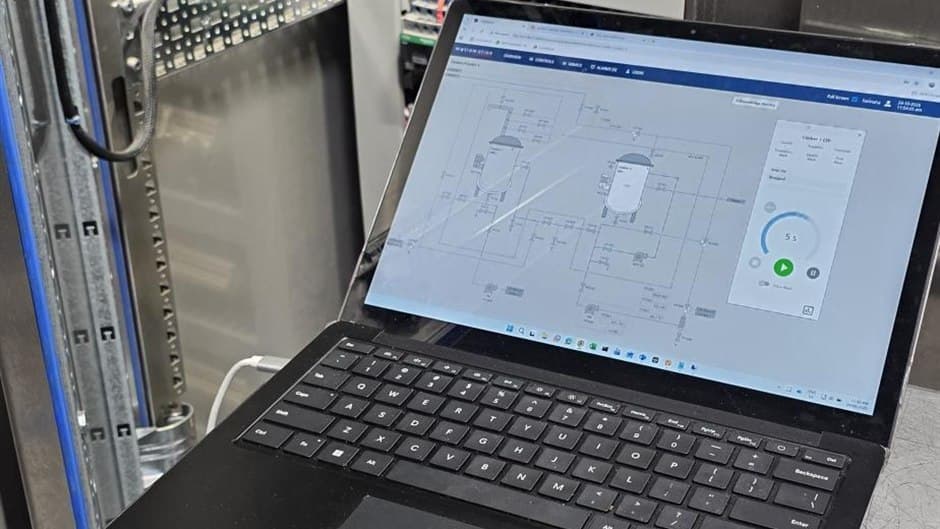
A current AVEVA Plant SCADA or Geo SCADA version keeps the existing project, skills and architecture. Migration earns its cost when licensing, integration or supportability no longer fit.
Cicode, Super Genies, reports, alarm configuration, device drivers and telemetry logic are where the effort sits. Tag counts alone understate it.
Running Ignition read-only beside the existing SCADA, then moving control area by area, keeps operators in control during the cutover.
Citect is one of the most widely installed SCADA platforms in Australia, on food and dairy plants, utilities and process sites. Many of those systems were built a decade or more ago, extended by several integrators, and now run on server operating systems and licence agreements that are harder to justify each year. Geo SCADA, the former ClearSCADA, sits in a similar position on telemetry and remote-site systems. This guide covers the first decision, whether to upgrade in place or migrate, and then how to move a Citect or Geo SCADA system to Ignition without losing visibility of the plant during the change.
This guide supports our PLC, SCADA and HMI programming and automation upgrades services. For a broader platform comparison, see Ignition, FactoryTalk and AVEVA compared.
Both products have been renamed more than once, which causes confusion in scopes and quotes.
Citect SCADA was sold as Vijeo Citect under Schneider Electric and is now AVEVA Plant SCADA. AVEVA states the rename directly on its product page. The project structure, Cicode and the client and server roles carry across versions, so an older Citect project is usually upgradeable within the same product line.
ClearSCADA is now Schneider Electric's EcoStruxure Geo SCADA Expert. It is built around an object database and is common on telemetry systems, where RTUs and remote sites report over DNP3 and similar protocols rather than a plant Ethernet network.
The practical point is that "Citect migration" can mean three different projects: upgrading an old Citect version to current Plant SCADA, converting another system into Citect, or moving from Citect to a different platform. Agree which one is meant before any estimate is compared.
Staying in the same product line is often the right answer. A current Plant SCADA or Geo SCADA version keeps the existing project, the site's operator familiarity and the skills of whoever supports it. Migration earns its cost when one or more of these is true:
| Driver | What it looks like on site |
|---|---|
| Licensing and support cost | Client and point licences, or the support agreement, cost more than the system is worth to extend |
| Supportability | The project has been extended by several parties, Cicode is undocumented, and nobody on site can change it confidently |
| Integration | The site wants plant data in SQL, MES, ERP, CMMS or cloud reporting, and the current system makes that awkward |
| Web and mobile access | Operators and managers want browser-based screens without adding thick clients |
| Standardisation | Other sites or new lines already run a different platform, and one standard would reduce support effort |
Ignition is a common migration target for these drivers. Inductive Automation licenses it per server rather than per client or per tag, it runs web-based Perspective clients, and it stores history and events in standard SQL databases (Inductive Automation, Ignition). None of that makes it right for every site; a large, stable Plant SCADA system with a skilled support team may be better upgraded than replaced. Our guide on when Ignition SCADA makes sense sets out where it fits and where it does not.
Tag count is the number everyone asks for, and it understates the work. The effort in a Citect or Geo SCADA migration sits in the logic and configuration around the tags.
Projects and included projects, variable tags and I/O devices, Cicode functions and where they run, Genies and Super Genies, alarm categories and priorities, trend and report configuration, user roles, and the redundancy layout of I/O, alarm, trend and report servers.
The database hierarchy and templates, outstation and channel configuration, DNP3 point mapping and polling, Logic programs, mimics, alarm redirection and callout, historic data configuration, and the redundancy and standby server arrangement.
Every PLC and RTU connection and its driver, any SQL or ODBC links, reports other departments rely on, and the historian data that has to remain accessible after the old system is switched off.
The single most important question is where control logic lives. Cicode and Geo SCADA Logic sometimes carry sequencing, interlocks or calculations that belong in the PLC. Those functions have to be found, understood and deliberately placed, either back in the PLC where they can be tested with the process or in Ignition scripting where they are supervisory only. Leaving them undiscovered is the most common cause of a migration that looks finished and then behaves differently on the first shift.
| Citect or Geo SCADA | Ignition equivalent | Notes |
|---|---|---|
| Variable tags, Geo SCADA points | Tags, organised into UDTs | Build UDTs per device type first, then import instances from exported tag lists |
| Genies and Super Genies, templates | Perspective or Vision templates and embedded views | Rebuild rather than convert, and fix navigation while doing so |
| Cicode, Geo SCADA Logic | Python scripting, or PLC logic | Move control logic to the PLC; keep only supervisory logic in scripts |
| Alarm categories and callout | Alarm configuration and alarm pipelines | Review alarm priorities against the site philosophy rather than copying them |
| Trends and historic data | Tag historian on SQL | Decide how long the old history must stay readable and where |
| Reports | Reporting module or SQL-based reports | Confirm which reports people actually use before rebuilding them all |
| I/O devices, DNP3 channels | Ignition device drivers, including DNP3 | Check driver support for every protocol and RTU type in the inventory |
Screen conversion tools and exported tag lists speed up the repetitive parts. They do not replace a review of what each screen is for. A migration is the one chance in a decade to remove dead screens, fix alarm floods and align graphics with a consistent style, so treat the screens as a rebuild with a head start.
SCADA is how operators see and run the plant, so the cutover has to keep them in control at every step. A staged approach works on most sites.
Running both systems together is where most of the risk is removed, because problems surface while operators still have the old screens. It also means the PLCs carry two SCADA connections for a period, so communication load and write access have to be controlled deliberately, with only one system allowed to write to any given area at a time.
Metromotion Controls has worked on both sides of this change. Across six Lactalis Australia dairy sites, the team carried SCADA implementation and conversion work in Citect consistently across the site systems, alongside programming, commissioning and CIP validation, described in the Lactalis programming and commissioning support case study. For McCormick, a production-critical Clean-In-Place system was migrated to Ignition SCADA with integrated database storage and three operator terminals, planned to maintain production continuity throughout, as described in the McCormick CIP migration to Ignition case study. Metromotion Controls is an Ignition Gold Certified System Integrator.
If the PLCs behind the SCADA are also ageing, plan the two changes together. Remapping SCADA tags once, against the new controller, is cheaper than remapping them twice. Our guide to SLC 500 and PLC-5 upgrades covers the controller side.
A good migration starts with an honest inventory and a clear decision about whether to move at all. To discuss a Citect, Plant SCADA or Geo SCADA migration on your site, contact Metromotion Controls.
PLC logic, SCADA architecture, HMI upgrades, fault finding and historian integration for production sites.
Ignition Gold Certified System Integrator for Ignition SCADA, historian, reporting and MES functions.
Modernise legacy PLC, SCADA, HMI and control infrastructure with staged cutover planning.
Programming and commissioning support for dairy production controls and site delivery teams.
CIP automation and Ignition platform work for factory automation upgrades.
A practical view of where Ignition is the right SCADA platform for Australian manufacturers and where it is not.
Ignition, FactoryTalk and AVEVA compared on licensing, architecture, IIoT and where each platform fits an Australian manufacturing site.
Upgrading SLC 500 and PLC-5 systems to CompactLogix and ControlLogix: routes, code conversion, HMIs and the Bulla churn case study.
When Ignition fits an Australian food and beverage site: Perspective vs Vision, architecture and redundancy, OT security, and buying Ignition locally.
Key point
Platform fit comes before platform capability
Published 9 May 2026

Ignition, FactoryTalk and AVEVA compared for Australian sites: licensing, architecture, clients, IIoT, redundancy and where each platform fits.
Key point
The existing estate usually decides the platform
Published 3 June 2026

How a controls engineer reads ISA-5.1 P&ID symbology and derives equipment modules, sequences, interlocks and loops from the drawing plus one conversation.
Key point
A P&ID carries most of the control design already
Published 3 June 2026
Tell Metromotion Controls about the work you are planning and speak with an engineer about the next steps.